An IT ticketing system that knows the machine
Every IT ticketing system stores the same fields: requester, subject, priority, assignee. Almost none of them can answer the only question that resolves the ticket — what is actually happening on that machine? Monitic can, because the ticketing system and the endpoint agent are the same platform. Open a ticket and the linked device's live inventory, active alerts, and patch state are already on screen. The lookup phase of every incident simply disappears.
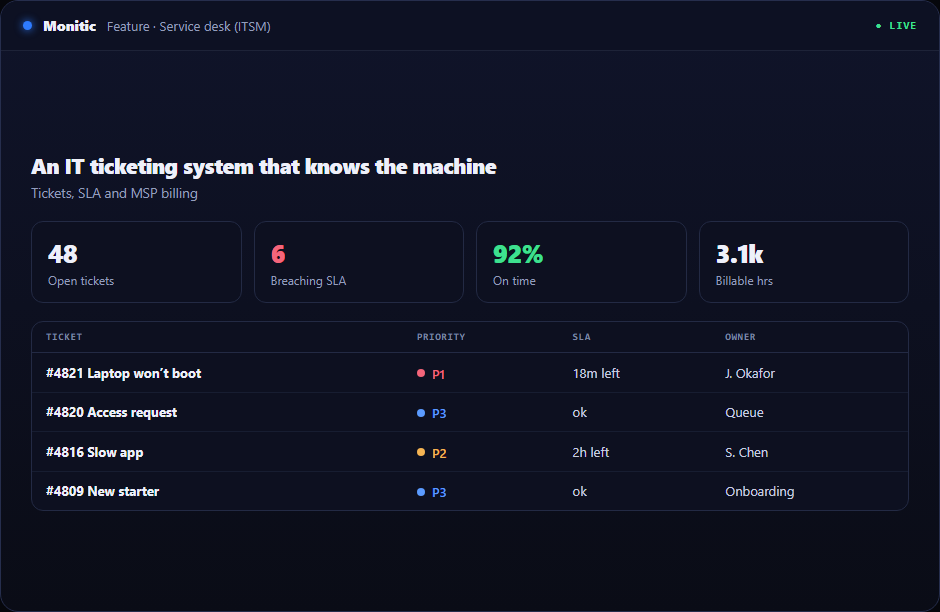
Tickets linked to real device data
A ticket about a slow laptop is a guessing game in a standalone helpdesk. In Monitic, the same record shows the hardware spec, the software that changed this week, the alert that fired an hour before the user called, and the patches the machine is missing. Diagnosis starts at minute one, not minute twenty — and when the fix requires hands on the box, the technician pivots into a remote session from the ticket itself. That data flows from endpoint management, not from an integration that broke during the last vendor API change.
Dynamic statuses and SLA tracking that fit your process
Ticket workflows differ between a two-person internal team and a fifty-technician MSP, so Monitic's statuses are fully configurable — define the states your process actually uses and the transitions between them, instead of remapping your reality onto five hardcoded stages. SLA tracking runs against every ticket, so response and resolution commitments are measured continuously rather than reconstructed at review time. For deeper SLA policy design, see SLA management.
Email-to-ticket and automation rules
Shared support inboxes lose requests; queues do not. Monitic's email-to-ticket ingestion converts inbound mail into structured tickets automatically, and ticket automation rules handle what should never need a human: routing by category, assignment by workload, escalation when an SLA clock runs hot, status transitions when conditions are met. Your technicians work the tickets that need judgment; the platform works the rest.
Works with
- SLA management — define and enforce response and resolution targets.
- Ticket automation — routing, escalation, and status rules.
- Email-to-ticket — turn a support inbox into a managed queue.
- Endpoint management — the live device data every ticket draws on.
Start your free 14-day trial or get a demo
See a ticket open with the machine's data already inside it. Start free trial or get a demo — the full platform, free for 14 days.
Frequently asked questions
Can we customize ticket statuses to match our workflow?
Yes. Statuses are dynamic and fully configurable — you define the states and transitions your process uses. There is no fixed status list to work around.
How do tickets get device data attached?
The Monitic agent on each endpoint feeds the same platform the ticketing system runs on. Link a ticket to a device and its inventory, alerts, and patch state render inside the ticket — no connector, no sync job, no second console.
Does email-to-ticket work with our existing support address?
Yes. Point your support mailbox at Monitic's ingestion and inbound mail becomes structured tickets automatically, with automation rules applied on arrival.
Is the ticketing system priced separately?
No. Ticketing ships inside the platform — per-endpoint plans. See pricing.
See Monitic on your own fleet
Full-featured 14-day trial · no credit card · your real fleet in the console on day one.