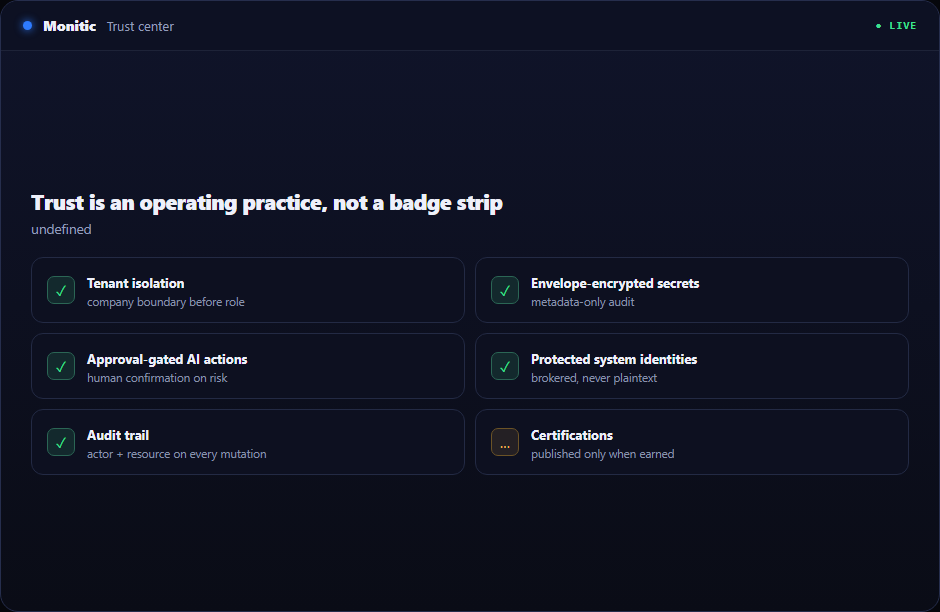
Trust is an operating practice, not a badge strip
Monitic manages privileged endpoint, identity, service, security, and infrastructure workflows. The security model therefore has to be understandable before procurement and reviewable after deployment.
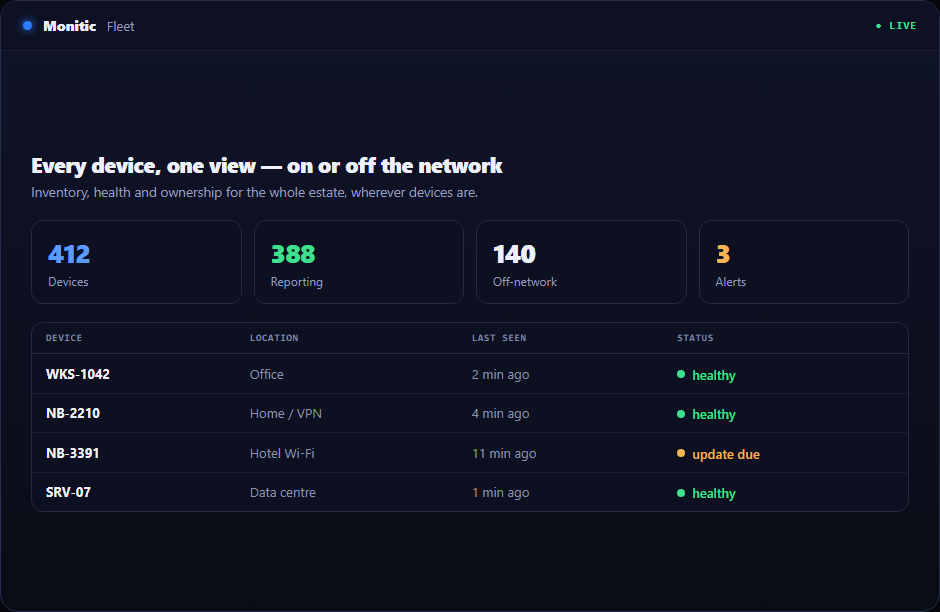
The usual alternative is a specialist console, a manually maintained list, or a technician who knows where every piece is hidden. That model becomes expensive when the estate grows, team members change, or leadership asks for current evidence. Monitic keeps the capability on the same tenant-safe data model as endpoint management, service desk, security, automation, and reporting.
Why this workflow matters
Point products may be deep, but they rarely know the full situation: which company owns the resource, which technician may act, which ticket triggered the work, or what changed immediately beforehand. Teams compensate by copying identifiers between consoles and documenting the decision after the fact. Delay grows, and the evidence of the action becomes separated from the reason for it.
Monitic closes that gap. Every view begins with the correct tenant and company scope. Every action resolves through the directing user's permissions. Every mutation can be associated with the actor and stable resource identifiers. Operators can move from fleet or executive context into one company, asset, finding, request, or job without losing the thread.
What security & trust center looks like in Monitic
Explain tenant isolation, identity, permission, approval, audit, and secret-storage controls. The view is built for decisions, not passive inventory: it keeps ownership, related records, recent activity, and the next permitted action close to the signal.
Publish responsible-disclosure and vulnerability-handling routes without making unearned certification claims. Technicians do not have to reconstruct the customer, device, identity, or maintenance context in another tool before beginning work.
Give security and procurement teams a current place for architecture, deployment, data, and compliance answers. Company restrictions, role permissions, addon entitlements, approvals where appropriate, and audit records remain part of the workflow rather than after-the-fact administration.
From evidence to verified action
- Establish scope. Start from the company, group, asset, alert, ticket, report, or integration that defines the work. Monitic resolves ownership and access before an operation begins.
- Inspect current evidence. Review live state and related history instead of acting from an old export. The operator can see why attention is required and what else may be affected.
- Choose the response. Use a remote action, ticket, workflow, automation, or approved AI proposal that fits the situation and the user's permissions.
- Verify and retain. Progress and result remain visible. The next operator and the next report start from platform evidence rather than individual memory.
This sequence prevents a common failure in IT operations: acting on the correct technical object in the wrong company, environment, or maintenance context.
What the Trust Center will and will not claim
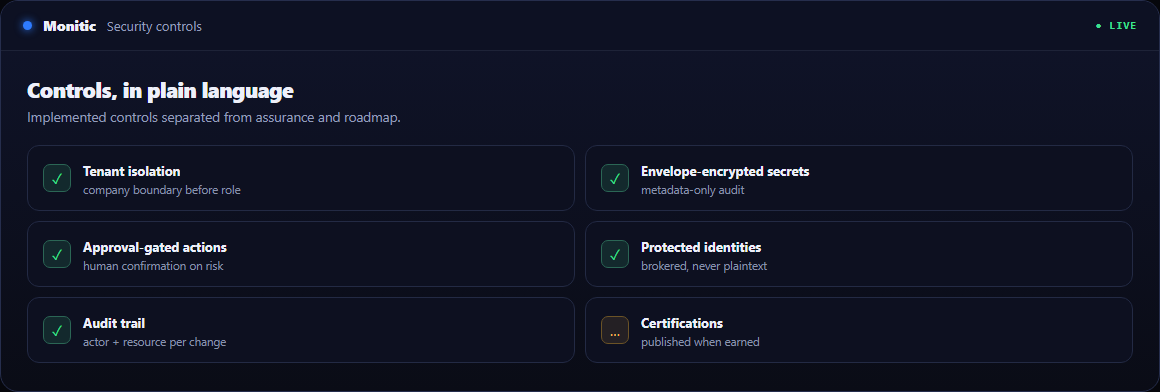
This page distinguishes implemented security controls from roadmap and assurance work. Tenant isolation, company-aware authorization, audit logging, envelope-encrypted tenant secrets, approval-gated AI actions, and protected system identities can be described because they are part of the platform architecture. Certifications and formal attestations will be published only after they are earned and independently supportable.
Security researchers need a direct responsible-disclosure route with acknowledgement expectations and a prohibition on placing sensitive findings in general support channels. Procurement teams need architecture, subprocessors, data-location options, retention, incident communication, and deployment answers. Operators need to know how access is granted, reviewed, and revoked.
Business value beyond the feature
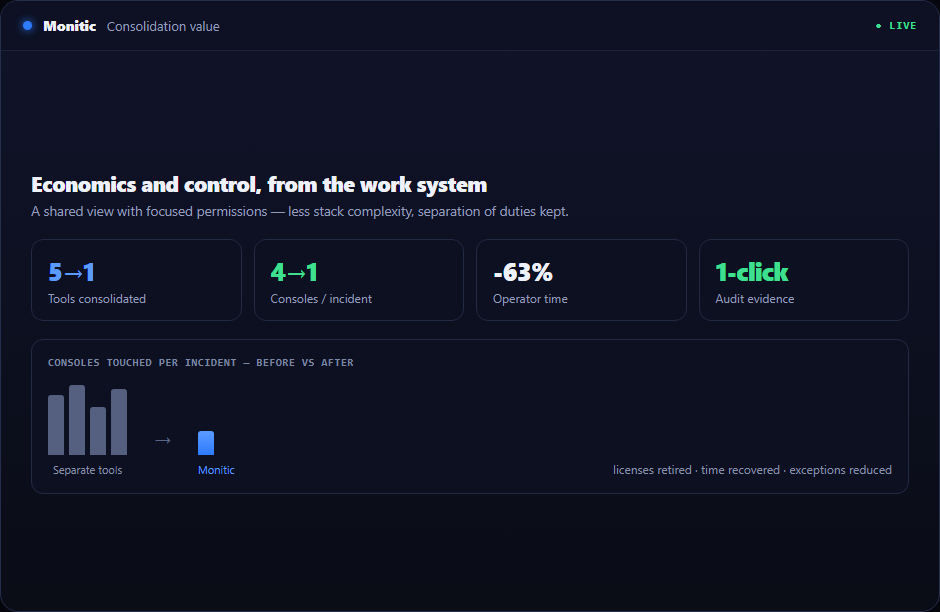
Consolidation reduces more than license cost. It removes duplicate agents, connector maintenance, separate renewals, repeated training, and the minutes technicians spend rebuilding context for every ticket. A shared platform also makes delegation safer: visibility can be broad while mutating operations remain narrowly permissioned.
For internal IT, the result is a consistent operating model across business units. For MSPs, the same architecture supports multiple customer companies while preserving root ownership and company isolation. Leadership receives current reporting from the work system instead of a parallel spreadsheet process.
Connected to the rest of the platform
Automation standardizes repeatable work. Service desk keeps ownership and communication visible. Reporting and analytics turns current state into recurring evidence. Mon-Ai can gather context and propose a next step through the same permissions and approval boundaries. Teams can adopt this capability for the immediate use case without creating another isolated island.
Security architecture topics covered here
Tenant isolation. Owned resources are anchored to the root tenant. Company restrictions create a hard access boundary for sub-users before role permissions are considered.
Secrets and credentials. Tenant-held credentials use the envelope-encrypted secrets service or an agent-relay design where the backend should not possess plaintext. Audit records carry metadata, never decrypted values.
AI governance. Mon-Ai acts through a protected AI subaccount and the directing human's permission scope. Manager-approved actions require confirmation; audit evidence records human direction and AI participation.
Deployment choices. SaaS and on-prem evaluations must document data paths, update responsibilities, key custody, backup expectations, and incident communication. Security review should use the architecture actually being purchased.
Report a vulnerability
If you believe you have found a security vulnerability in Monitic, report it here — not through the general contact or support channels. Do not paste the finding itself into a general inbox: upload your report, proof of concept, or evidence to a location you control and share the link below. Our security team reviews every linked finding in an isolated sandbox. A personal email address is fine. We acknowledge every legitimate report, keep you updated at the address you provide, and ask that you allow reasonable time to remediate before any public disclosure.
Frequently asked questions
Is the capability tenant-aware?
Yes. Resources remain anchored to the owning tenant, and company restrictions are applied before role permissions determine what a technician can see or do.
Does every technician need administrator access?
No. Focused permissions allow delegation of the required workflow without turning every operator into a platform or infrastructure administrator.
Can the work be audited?
Security-sensitive and mutating actions retain actor and resource context. AI-directed actions can additionally record who directed the work and which AI account participated.
Can we evaluate it with our own environment?
Yes. The 14-day trial includes the full platform so teams can validate the workflow against their fleet, integrations, and operating model. Packaging and starting prices are on pricing.
See Monitic on your own fleet
Full-featured 14-day trial · no credit card · your real fleet in the console on day one.