The AI assistant for IT teams that reaches real tools
Most "AI assistants" in IT tooling are a chat window stapled to documentation. Mon-Ai is different by construction: it is wired into the same tools that run the Monitic platform, exposed through MCP (Model Context Protocol). When you ask it about an endpoint, it queries the live fleet. When you ask it to fix something, it can deploy the patch, run the script, or execute the power action — under your permissions, with your approval on anything risky.
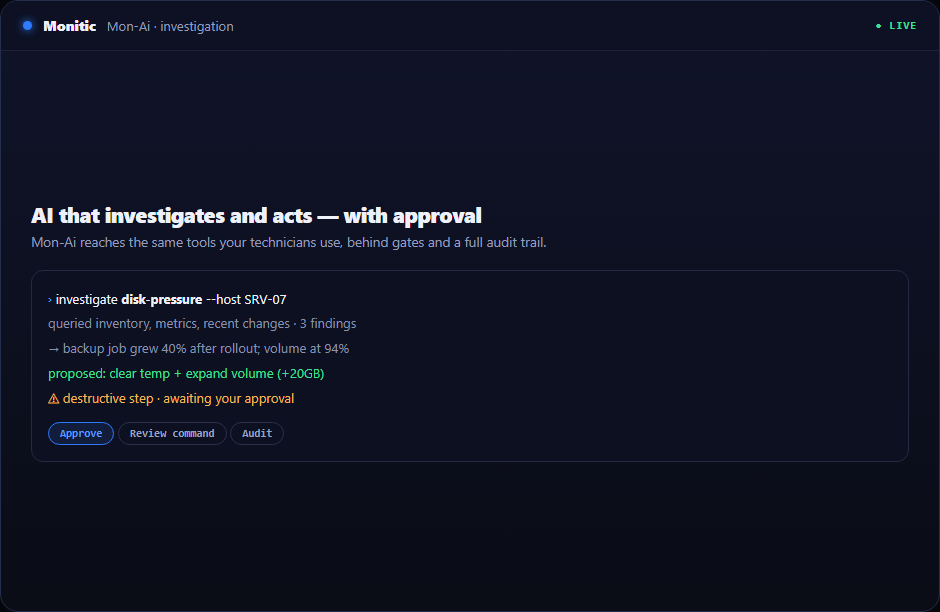
Chat that reaches real tools, not a chatbot on top of docs
Ask Mon-Ai a question and it does what a technician would do: pulls hardware and software inventory, reads current metrics, checks recent changes, and correlates across devices. Because it operates through the platform's own tool layer, its answers come from your environment — not from generic training data. And because those same tools can act, the conversation does not end at an answer. "Patch these twelve endpoints" or "restart that service" are things it can do, not things it tells you how to do.
The same tool layer is open outward: external AI clients can connect to Monitic's MCP server and operate the platform under identical permission checks, gates, and logging.
Investigation workflows: from alert to root cause
Alert triage is where AI assistants earn their keep. Mon-Ai investigates an alert end to end — querying the affected machine, comparing against fleet baselines, and using anomaly detection on collected exporter metrics to separate signal from noise. Every step shows its work: the commands it ran and the outputs it got are visible in the thread, so a reviewer can verify the chain of reasoning instead of trusting a verdict. When the fix requires a real shell, the assistant escalates to the AI Terminal — same session, same guardrails.
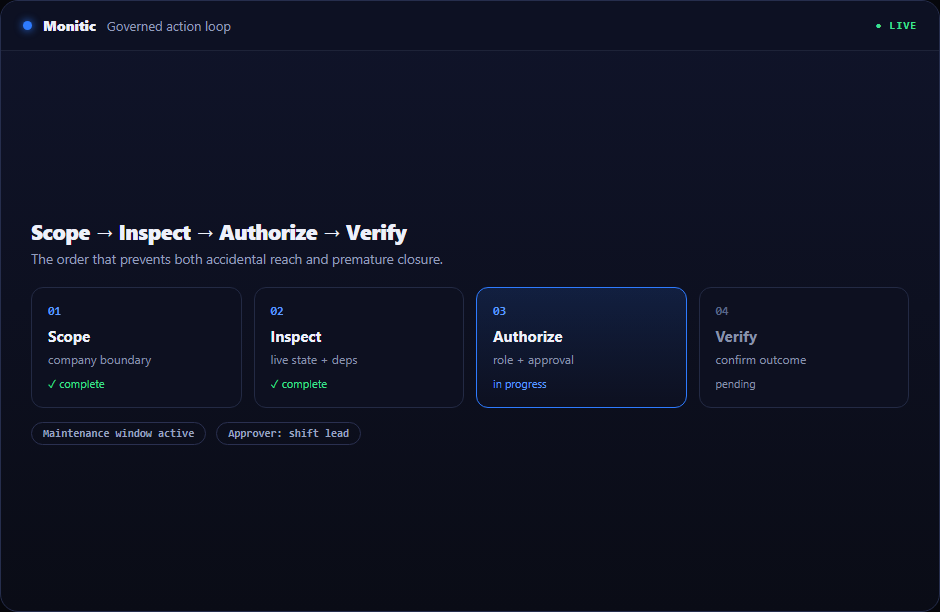
Scoped by RBAC, logged in the audit trail
Mon-Ai never has more authority than the person directing it. It operates strictly within your RBAC permissions and company-access boundaries — a technician scoped to one client's fleet gets an assistant scoped exactly the same way, which matters for MSPs running many tenants in one console. Risky actions stop at the action gate for human confirmation, and manager-approved actions always require explicit approval. Afterward, every AI action sits in the audit trail with who directed it, so security review is a query, not a reconstruction.
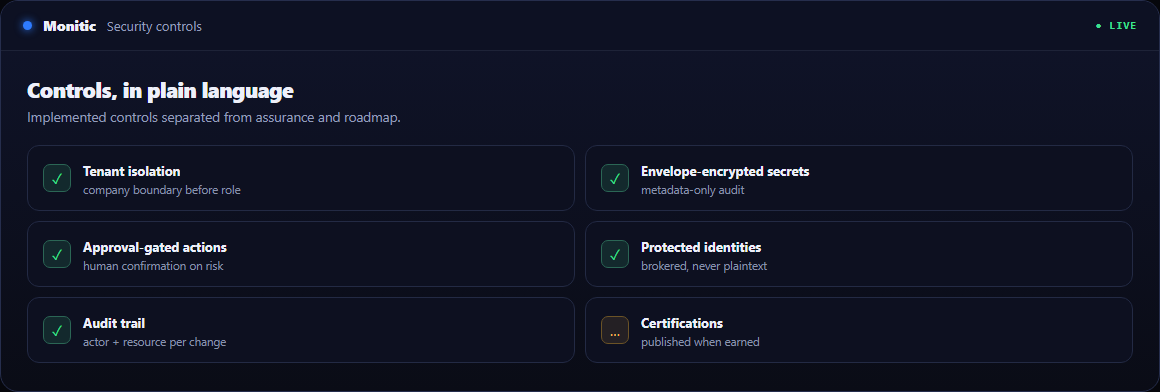
Your model, your governance
The assistant runs on a multi-provider LLM architecture: bring your own AI provider and API key, and keep your existing data agreements and model governance intact. A PII anonymization layer processes requests before they reach the model, so personal data from tickets and endpoints is not handed to the provider raw.
Works with
- AI Terminal — when investigation needs a real, encrypted shell on the endpoint.
- Monitic AI overview — the trust model behind every AI action: gates, audit, scoping, evidence.
- Automation — the execution engine the assistant uses for patches, scripts, and deployments.
Frequently asked questions
What can the assistant actually do, beyond answering questions?
It can take real actions: deploy patches, run scripts, execute power actions on endpoints, and open an encrypted terminal session. Safe operations run directly; risky ones require your confirmation through the action gate.
Can a technician use the assistant to bypass their permissions?
No. The assistant inherits the directing user's RBAC permissions and company-access boundaries. If you cannot do it, the AI cannot do it for you.
Which LLM does Mon-Ai use?
Whichever you choose. The architecture is multi-provider — you connect your own AI provider and API key, and Monitic's PII anonymization layer sits in front of every request.
Is there a record of what the AI did last week?
Yes. Every AI action is audit-logged with the action taken and the user who directed it, alongside the visible command outputs in each conversation.
See Monitic on your own fleet
Full-featured 14-day trial · no credit card · your real fleet in the console on day one.