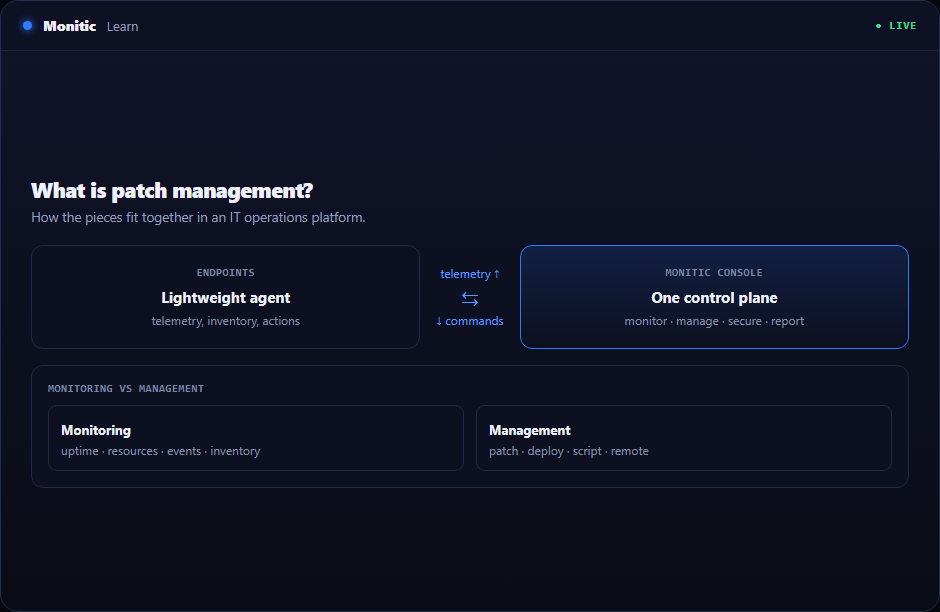
Patch management: definition and why it matters
Every piece of software ships with flaws, and vendors continuously release fixes for them. The gap between a patch being available and being installed is the window in which attackers operate — most successful breaches exploit vulnerabilities for which a patch already existed. Patch management is the discipline that closes that window systematically instead of hoping individual machines update themselves.
It is equal parts security control and operational process: unmanaged patching leaves you exposed, but uncontrolled patching (everything, everywhere, immediately) breaks business applications. The craft is in the balance.
How patch management works: the patch lifecycle
A mature patch process runs as a continuous cycle:
- Discover — maintain an accurate inventory of every device, OS, and application in the fleet. You cannot patch what you don't know exists, which is why patching depends on solid IT asset management.
- Assess — scan the fleet against vendor catalogs and vulnerability databases to determine which patches are missing where.
- Prioritize — rank missing patches by risk (see CVE-driven prioritization below), not just by release date.
- Test — deploy to a pilot ring of representative, low-risk machines first and watch for regressions.
- Deploy — roll out in waves during approved maintenance windows, with staggered scheduling and reboot handling.
- Verify and report — confirm installation succeeded, retry failures, and produce compliance evidence.
The cycle then repeats — monthly at minimum for OS updates, continuously for critical security fixes.
OS patching vs third-party patching
Operating system updates (Windows Update, macOS, Linux distributions) are the visible half of the problem, and native tools handle them reasonably well in isolation. The neglected half is third-party applications — browsers, PDF readers, communication tools, runtimes like Java, and the long tail of business software. These update on their own schedules, through their own mechanisms, and are among the most commonly exploited software on any endpoint.
A patch management platform normalizes both: one catalog, one policy engine, and one report covering the OS and the application layer. When evaluating tools, the depth of the third-party catalog is often the real differentiator — OS patching is table stakes.
CVE-driven prioritization
Not all patches are equal. Vulnerabilities are cataloged as CVEs (Common Vulnerabilities and Exposures) with severity scores, and a small fraction of them account for the overwhelming majority of real-world exploitation. Modern patch management is therefore risk-driven:
- Match your software inventory against known CVEs to see which vulnerabilities actually exist in your environment.
- Prioritize by severity, known active exploitation, and asset exposure — an internet-facing server with a critical, actively exploited CVE jumps every queue.
- Defer low-risk patches to normal maintenance cycles instead of treating everything as an emergency.
This converts patching from a calendar-driven chore into a measurable vulnerability-reduction program, and it gives leadership a defensible answer to "are we exposed to this CVE in the news?"
Patch windows and deployment rings
Patching is disruptive — installs consume resources and often require reboots. Patch windows contain that disruption:
- Maintenance windows define when devices may patch and reboot (e.g., weeknights, weekends), respecting business hours and time zones.
- Deployment rings define in what order: pilot machines first, then broader waves, then sensitive systems last, with an approval gate between rings.
- Deferral and user-interaction policies decide how much control end users get over reboot timing on their own machines.
Servers deserve extra care: staggered reboots within clusters, pre- and post-patch health checks, and rollback plans for the rare patch that misbehaves.
Compliance reporting
Regulators, cyber-insurers, and security frameworks all ask a version of the same question: can you prove your systems are patched within a defined timeframe? Patch compliance reporting answers it with evidence: per-device patch status, time-to-patch metrics against policy targets, exception lists with justifications, and historical trends. If producing that report takes days of manual spreadsheet work, the process — not just the report — needs automation.
Automation: the difference between policy and reality
Manual patching does not scale past a few dozen machines. Automation is what turns a written patch policy into consistent reality:
- Automated scanning and deployment on schedules, without per-machine intervention.
- Policy-based targeting — rules like "critical security updates within 7 days, everything else monthly" applied fleet-wide.
- Automatic retries and failure escalation so failed installs surface as exceptions instead of silently accumulating.
- Wake-up and offline handling for laptops that were closed during the patch window.
Automation is delivered through the same agent infrastructure as remote monitoring and management — the RMM agent already knows what's installed and can execute installs, which is why patching and RMM are converging into single platforms. Patch approvals also intersect with ITSM change management: standard patches are pre-approved changes, while high-impact server patching may flow through a change record.
How to choose a patch management solution
- Third-party catalog depth — how many applications beyond the OS are covered, and how quickly new versions appear.
- CVE intelligence — vulnerability matching and risk-based prioritization, not just "install everything."
- Scheduling flexibility — windows, rings, time zones, reboot control, and end-user deferral options.
- Reporting — audit-ready compliance evidence out of the box.
- Platform integration — patching built into your endpoint management platform beats a standalone tool with a separate agent.
See how Monitic does patch management → Monitic Patch Management
Frequently asked questions
How often should patches be applied?
Critical security patches for actively exploited vulnerabilities should deploy as fast as testing allows — typically days. Routine updates commonly follow a monthly cycle aligned to vendor release schedules. The right answer is a written policy with different timelines per severity, enforced automatically.
What is the difference between patch management and vulnerability management?
Vulnerability management is the broader discipline of finding and reducing all security weaknesses — including misconfigurations and missing controls. Patch management is its largest single remediation channel: the process that actually fixes the software-flaw portion of those findings.
Should patches be tested before deployment?
Yes — proportionally to risk. A pilot ring of representative machines catches most regressions without delaying the fleet significantly. Blocking all patches behind lengthy manual testing usually costs more (in exposure) than it saves.
Does patch management cover third-party applications?
Native OS tools generally don't — that is precisely the gap dedicated patch management platforms fill. Browsers, runtimes, and productivity tools are among the most exploited software in any fleet and need the same automated lifecycle as the OS.