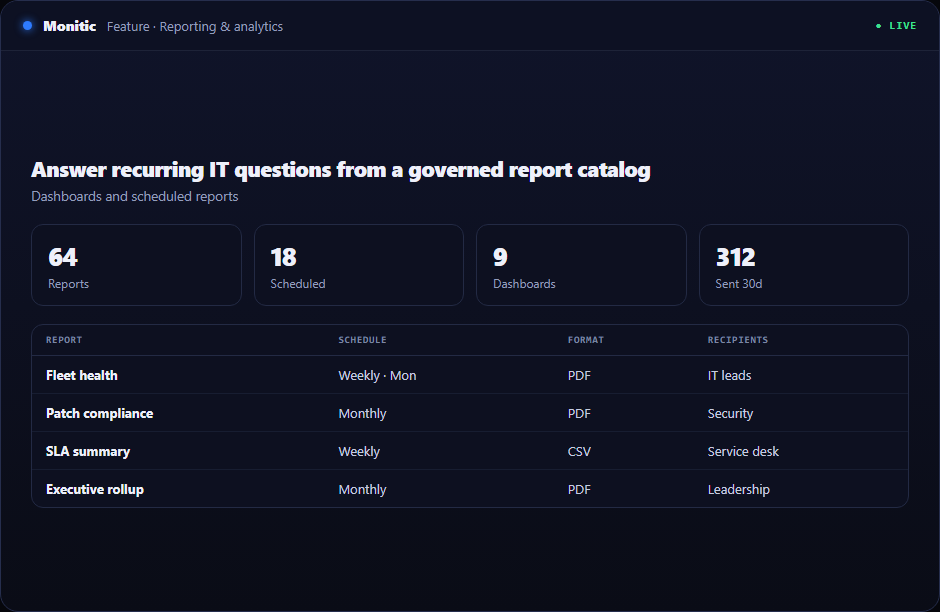
Answer recurring IT questions from a governed report catalog
Teams repeatedly rebuild views for vulnerability, patching, inventory, experience, deployment, and security posture. A definition-driven library makes those answers reusable.
When it report library lives in a separate console, every investigation begins with context assembly. Monitic starts from the opposite assumption: asset identity, tenant scope, permission, history, and response should already be connected before work begins.
Why this workflow matters
Fragmentation turns simple work into coordination. An operator discovers a condition in one system, looks up ownership in another, requests access to a third, and records the result somewhere else. IT Report Library should remove operational delay rather than add a new place where context can be lost.
The platform record acts as the join point. From it report library, an operator can reach related device state, alerts, requests, dependencies, and previous work while retaining tenant scope. Decisions begin with current evidence instead of copied identifiers.
What it report library looks like in Monitic
Use a catalog of operational, security, asset, patch, DEX, and executive reports. Fleet and company views lead into one affected record, allowing teams to separate a broad pattern from an isolated exception before committing effort.
Apply server-side filtering, search, sorting, and company scope. The platform preserves the path that led to the decision, making peer review and escalation more useful than a screenshot with no surrounding history.
Render typed values and drill into the records behind a summary. The system records enough operational metadata to reconstruct who did what and where without leaking credentials or relying on request-body archives.
Evaluation checkpoints for it report library
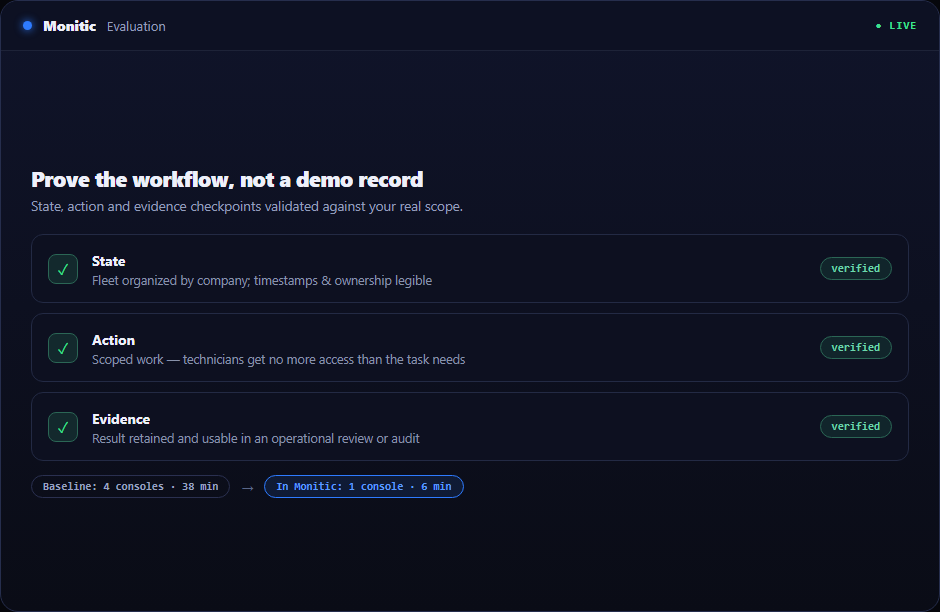
A useful evaluation should prove the workflow against real scope rather than a polished demo record. Use the following checkpoints when validating IT report templates:
- State: Verify that the platform can use a catalog of operational, security, asset, patch, DEX, and executive reports and that timestamps, company ownership, and exceptions are understandable to an operator who did not configure the feature.
- Action: Confirm that authorized technicians can apply server-side filtering, search, sorting, and company scope without receiving broader access than the task requires.
- Evidence: Check that Monitic can render typed values and drill into the records behind a summary and that the result is useful in an operational review, customer conversation, or audit.
Record the baseline time, number of consoles touched, and evidence available before Monitic. Repeat the same scenario in the trial. The comparison should show whether it report library reduces handoffs as well as completing the technical task.
From evidence to verified action
- Start at the operating record. Avoid manually retyping identifiers from another console.
- Correlate. Bring together technical state, service impact, and recent work.
- Execute deliberately. Choose human, automation, or AI-assisted action within scope.
- Verify visibly. Let operators and stakeholders see whether the expected state was restored.
This creates a complete loop instead of an alert-to-spreadsheet handoff.
A catalog organized around decisions
A useful report definition declares its audience, scope, parameters, typed columns, aggregation rules, and drill-down destination. ?Patch compliance? should lead to the devices and updates behind the percentage; ?riskiest devices? should reveal the findings that created the rank.
Monitic's definition-driven approach keeps those semantics reusable across companies. Operators do not need to rebuild the same query for every customer, while leadership receives metrics whose source and meaning remain explainable.
Business value beyond the feature
IT Report Library creates leverage when it removes coordination as well as manual steps. Technicians spend less time finding the right console, leaders receive fresher evidence, and delegation no longer depends on shared administrator credentials.
Internal teams gain one operating model across business units. MSPs gain the same consistency across customer companies while root ownership and company boundaries prevent the convenience of a shared platform from becoming cross-tenant risk.
Connected to the rest of the platform
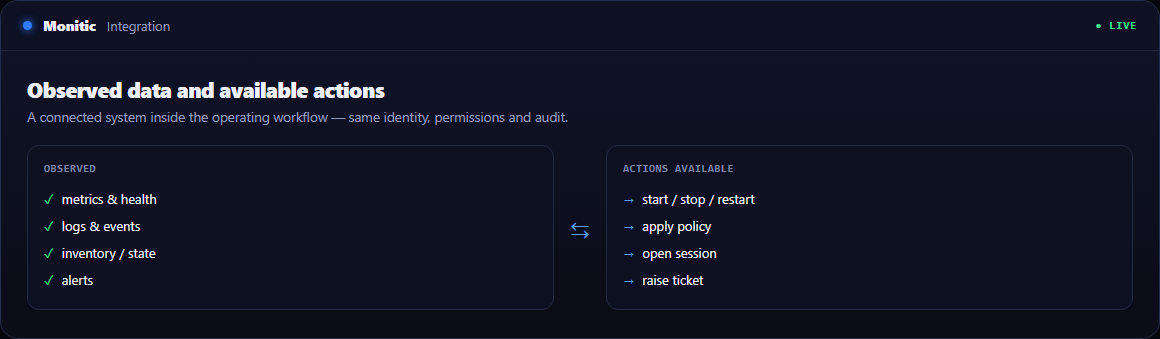
Adjacent modules extend the value of it report library: inventory identifies the resource, monitoring supplies current state, service workflows coordinate people, and automation executes stable runbooks. Mon-Ai can correlate those records without bypassing the directing user's permissions.
Frequently asked questions
Does consolidation mean every team sees the same information?
No. Teams share the underlying operating record, but company restrictions and role permissions determine which views and actions each person receives.
How is an exception handled?
An exception can remain visible with ownership, route into a ticket or workflow, or be included in reporting until the expected state is restored and verified.
Does the audit trail store sensitive payloads?
Audit records are designed around metadata and stable identifiers. Credentials, decrypted secrets, and other sensitive values should not be placed in audit data.
What is the fastest way to prove value?
Select a costly handoff in the IT Report Library workflow, measure its current time and failure points, then repeat the workflow in the 14-day trial using live platform context.
See Monitic on your own fleet
Full-featured 14-day trial · no credit card · your real fleet in the console on day one.