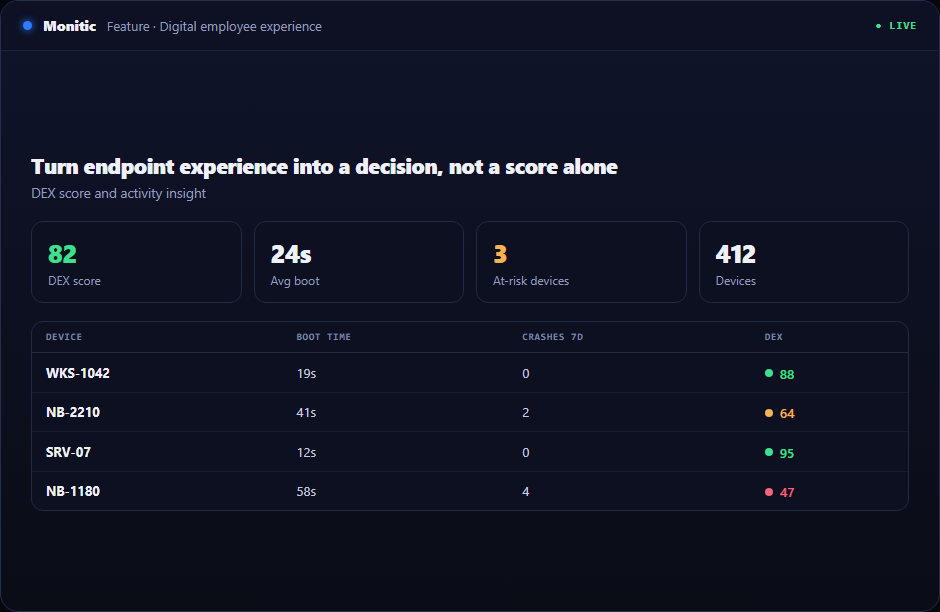
Turn endpoint experience into a decision, not a score alone
A fleet-wide score is useful; leaders also need to know which applications, devices, and patterns are responsible. DEX reports turn experience telemetry into prioritized work.
Operational maturity depends less on having another dashboard than on shortening the distance between evidence and action. Monitic embeds digital employee experience reports into the control plane used for endpoint, service, security, and infrastructure work.
Why this workflow matters
A dashboard is not an operating model. Without ownership, an approved response path, and retained outcome, the team has only moved the observation. Monitic designs digital employee experience reports around completing the work rather than displaying another list.
The result is traceable movement from fleet-level signal to one responsible resource. An executive can see the aggregate, an operator can drill into the cause, and an auditor can identify the person and outcome without rebuilding the chain from several exports.
What digital employee experience reports looks like in Monitic
Report device performance, stability, activity, and experience trends. The presentation emphasizes state, scope, ownership, and exception so an operator can decide whether digital employee experience reports requires action now.
Identify riskiest devices and recurring degradation. The operator works from the same record used by monitoring and reporting, so targeting does not depend on a separately maintained hostname list or spreadsheet.
Filter and schedule reports for companies and operational reviews. Approval gates can protect high-impact work, and the audit trail retains stable identifiers instead of sensitive payloads or informal notes.
Evaluation checkpoints for digital employee experience reports
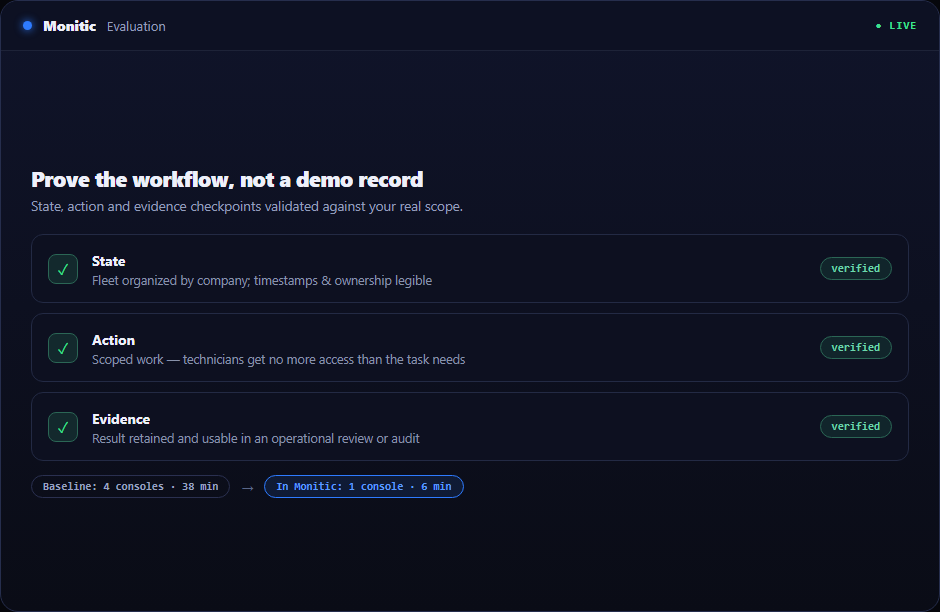
A useful evaluation should prove the workflow against real scope rather than a polished demo record. Use the following checkpoints when validating DEX reporting:
- State: Verify that the platform can report device performance, stability, activity, and experience trends and that timestamps, company ownership, and exceptions are understandable to an operator who did not configure the feature.
- Action: Confirm that authorized technicians can identify riskiest devices and recurring degradation without receiving broader access than the task requires.
- Evidence: Check that Monitic can filter and schedule reports for companies and operational reviews and that the result is useful in an operational review, customer conversation, or audit.
Record the baseline time, number of consoles touched, and evidence available before Monitic. Repeat the same scenario in the trial. The comparison should show whether digital employee experience reports reduces handoffs as well as completing the technical task.
From evidence to verified action
- Scope before search. Establish the customer or business boundary and intended outcome.
- Inspect before change. Review live state, recent activity, and dependencies.
- Authorize before execution. Apply the role, approval, or maintenance rule appropriate to impact.
- Measure after execution. Confirm the technical result and its operational effect.
That order reduces both accidental reach and premature closure.
Business value beyond the feature
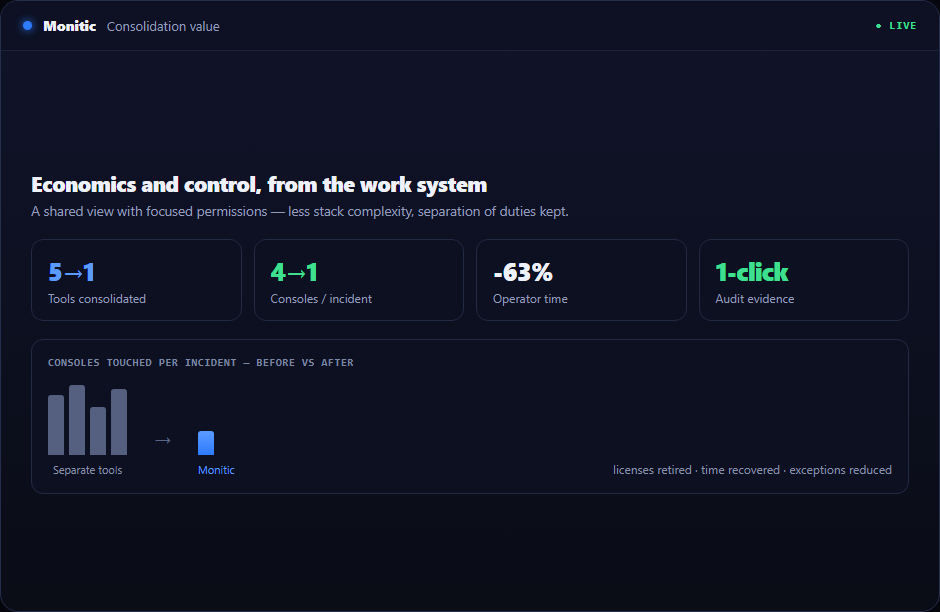
Tool consolidation should not trade several narrow controls for one unrestricted super-console. Digital Employee Experience Reports combines a shared view with focused permissions, so teams can reduce stack complexity while retaining separation of duties.
Leaders can evaluate both economics and control: licenses retired, operator time recovered, exceptions reduced, and evidence generated directly from the work system.
Connected to the rest of the platform
The strongest outcome comes from the loop around digital employee experience reports: live evidence, accountable work, controlled execution, and verified reporting. Automation and AI accelerate that loop only through the permissions already granted to the directing operator.
Frequently asked questions
Does consolidation mean every team sees the same information?
No. Teams share the underlying operating record, but company restrictions and role permissions determine which views and actions each person receives.
How is an exception handled?
An exception can remain visible with ownership, route into a ticket or workflow, or be included in reporting until the expected state is restored and verified.
Does the audit trail store sensitive payloads?
Audit records are designed around metadata and stable identifiers. Credentials, decrypted secrets, and other sensitive values should not be placed in audit data.
What is the fastest way to prove value?
Select a costly handoff in the Digital Employee Experience Reports workflow, measure its current time and failure points, then repeat the workflow in the 14-day trial using live platform context.
See Monitic on your own fleet
Full-featured 14-day trial · no credit card · your real fleet in the console on day one.